Description
🎮 Age of Empires Mobile
Age of Empires Mobile brings the iconic medieval strategy franchise to mobile, combining the classic Age of Empires experience with gameplay designed specifically for mobile devices.
Experience fast-paced battles, rapid resource gathering, military development, and strategic defense against waves of enemies. Form alliances with hundreds of players, work together with allies, and build a powerful empire.
⚔️ Game Highlights
- 🏰 Build Your Empire: Gather resources, develop your city, and expand your territory.
- ⚔️ Real-Time Battles: Experience intense battles with detailed real-time controls.
- 🛡️ Strategic Warfare: Build armies, defend your empire, and conquer your enemies.
- 🤝 Form Alliances: Team up with players from around the world to strengthen your empire.
- 👑 Legendary Heroes: Command famous historical heroes on massive battlefields.
- 🌍 Global Conquest: Unite with allies and restore your empire to its former glory.
Build. Conquer. Rule. Your empire awaits! 🏰
How to Purchase Age of Empires Mobile on MooGold
- First, select your preferred Empire Coins & Vouchers denomination.
- Enter your Account ID.
- Proceed to checkout and select your preferred payment method.
- Complete the payment, and the Empire Coins & Vouchers will be credited to your account within 30 minutes.
- Enjoy your Empire Coins & Vouchers!
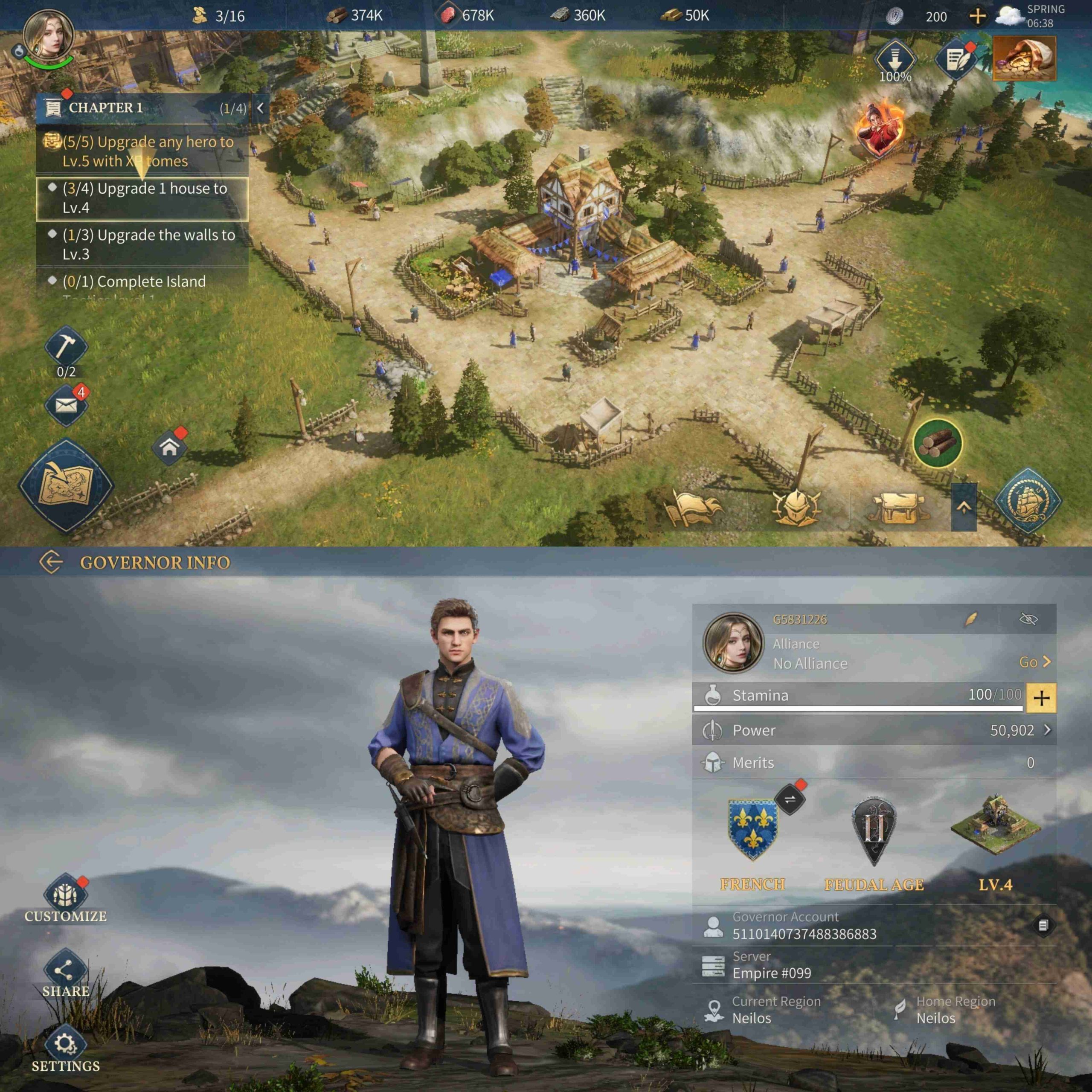
How to Find Your Player ID and Server
- Log in to the game using your account.
- Tap the Avatar icon in the top-left corner of the main screen.
- Your Age of Empires Mobile Player ID and Server will be displayed.
Here are the steps to make a purchase using MooGold:
- Sign In or Register: First, log in to your MooGold account. If you don’t have one, you can easily create a new account at MooGold.com/account.
- Browse the Shop: Next, visit the Shop page to explore your desired category or game. Alternatively, you can use the search bar to quickly find specific items.
- Select Your Product: Then, choose the product you want, select the desired quantity, and click “Add to Cart”.
- Checkout: After adding items to your cart, proceed to checkout. Here, select your preferred payment method and complete your payment.
- Receive Your Item: Once your payment is confirmed, your order will be delivered. You can track it anytime under My Account → Orders.
Why Buy from MooGold?
- Trusted & Authorized
MooGold is a reliable and authorized reseller, committed to providing a seamless and secure top-up experience. - Wide Selection of Denominations
Whether you’re a casual player or a seasoned adventurer, we offer a variety of top-up amounts to suit your gaming needs. - Multiple Payment Methods
Choose from a range of safe and convenient payment options for a smooth, hassle-free purchase. - Fast & Reliable Delivery
Once your order is confirmed, our team ensures a quick and dependable top-up so you can get back to your game without delay. - 24/7 Customer Support
Have questions or need assistance? Our friendly support team is available around the clock to help with any inquiries or issues.
Link
- 📘 Facebook: https://www.facebook.com/aoemobile
- ▶️ YouTube: https://www.youtube.com/@ageofempiresmobile
- 💬 Discord: https://go.aoemobile.com/goDiscord
- 𝕏 X: https://twitter.com/AOE_Mobile
- 📸 Instagram: https://www.instagram.com/ageofempiresmobile_official